Race paper
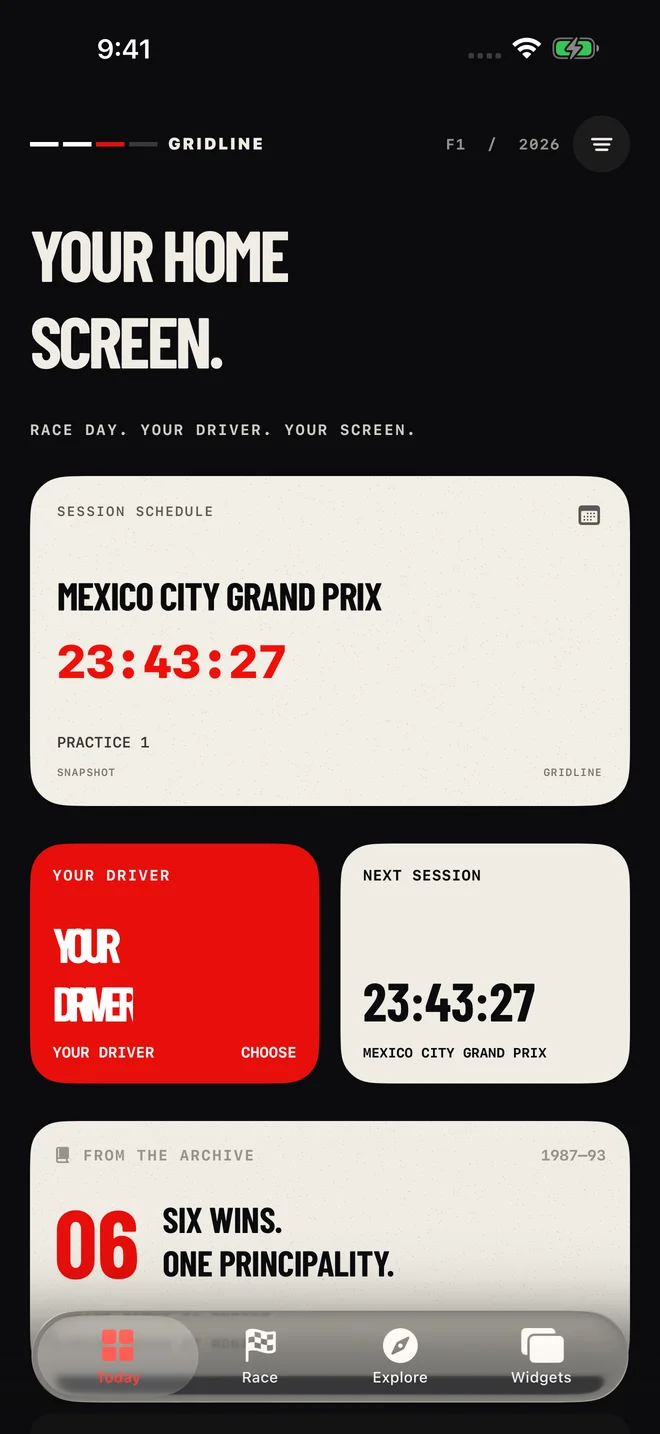
Warm paper, bold headlines and the texture of a race programme. An editorial look for people who keep the ticket long after the race.
Race day. Every day.
Racing widgets for your iPhone and iPad. Countdown to the next session, follow your driver, and make it yours.
Explore the widgetsFree. No login. App Store release in progress.
6
Design systems
6
Widget types
$0
Current app price
Your screen. Your rules.
You should be able to recognise your screen at a glance. Start with a design collection, choose the widget that matters to you and save it as a preset. Every collection is included, so you can experiment without unlocking a tier.
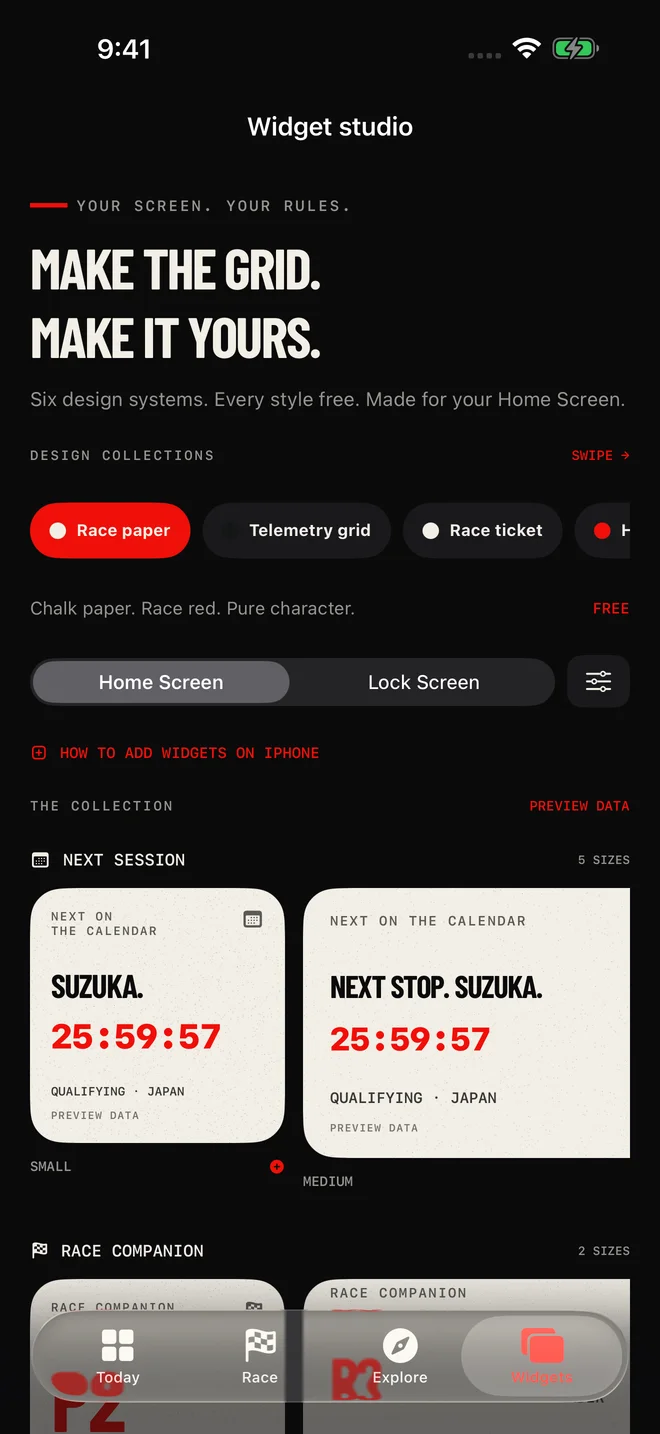
Warm paper, bold headlines and the texture of a race programme. An editorial look for people who keep the ticket long after the race.
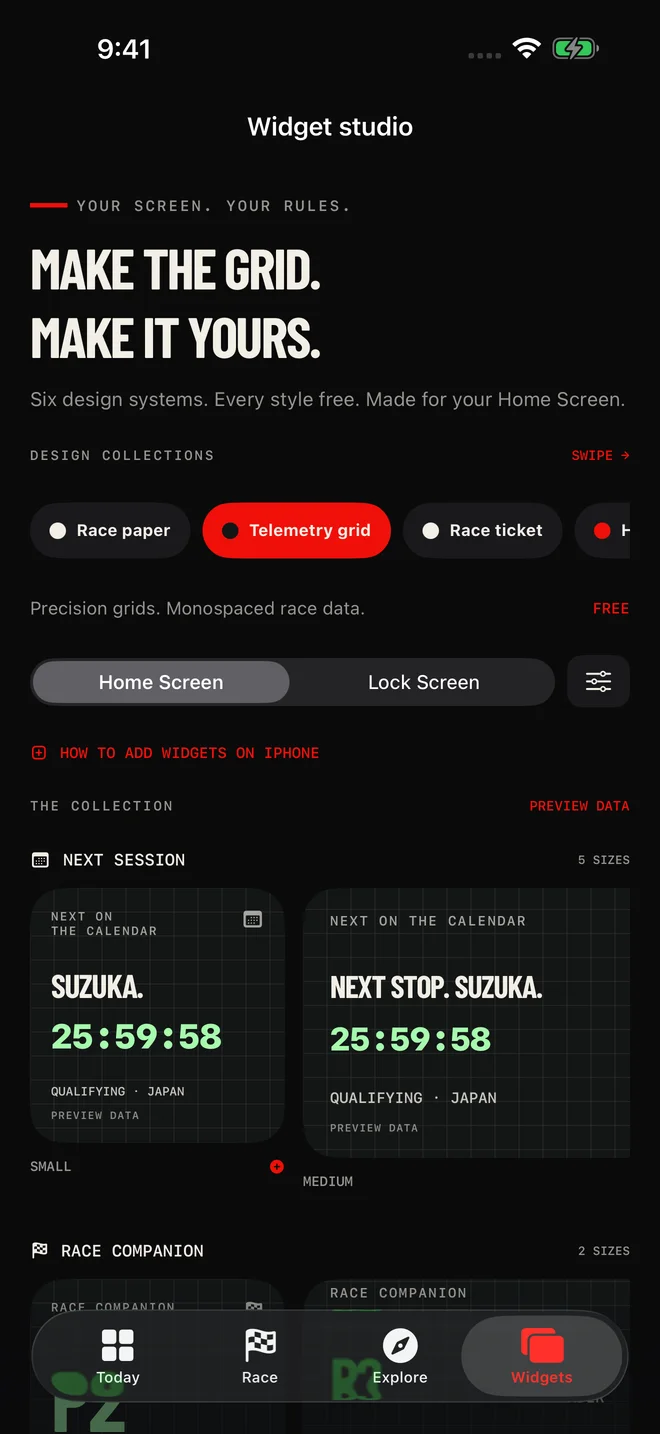
Fine grids, clear labels and a timing-board rhythm. Bring an instrument-panel feel to your screen without covering it in visual noise.
Archive-inspired panels, compact facts and a printed-ticket finish. A little racing history next to the apps you use every day.
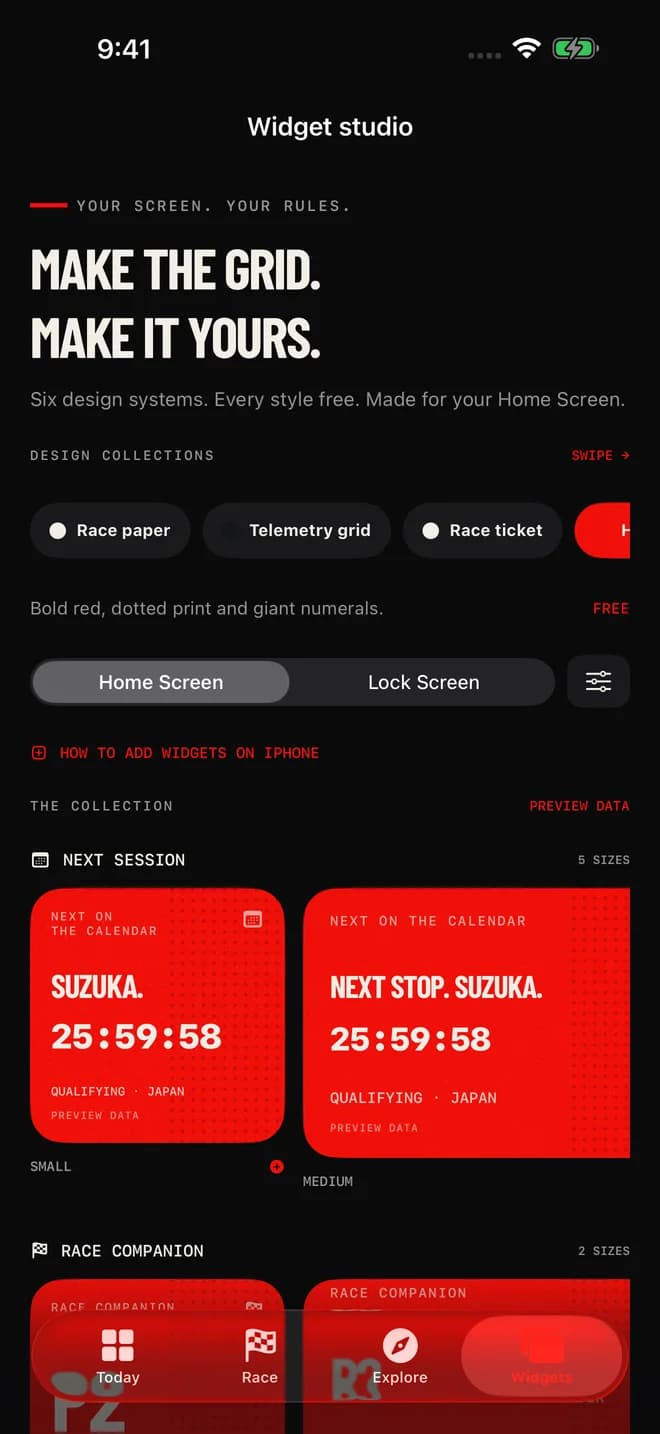
Dot textures and big numbers give your driver a graphic, poster-like presence. Racing red makes a statement against a darker wallpaper.
Let the typography carry the moment. Large condensed numbers and a restrained layout keep the important details easy to pick out.
A familiar racing pattern, reworked into a clean widget background. Pair it with simpler tiles or use it as your screen’s focal point.
Keep your corner of the grid close
Keep the next available session schedule on your screen. Countdown views use your device’s local time, so you can glance at the weekend without converting a timetable in your head.
Choose a driver by name and bring available career statistics into your layout. Session and championship widgets add another view of the grid when their source data is available.
Make room for racing history alongside the weekend. The archive card carries a short, sourced story, with a route back into the app when you want the context behind the number.
From the studio to your screen
01
Open Widget Studio, choose a design and save a preset. You can keep several looks for different parts of your screen.
02
Touch and hold your Home Screen, open Add Widget and search for Gridline. Choose a supported size and add it.
03
Touch and hold your new widget, choose Edit Widget and select your saved preset. The app includes an illustrated guide if you need a hand.
Before lights out
Yes. The current app and all six design collections are free. There is no subscription, payment screen or account to create. If paid features arrive in a future version, they will be explained before you choose to buy anything.
Gridline supports iOS and iPadOS 17 or later. Home Screen widgets come in the sizes supported by each widget type. Compact Lock Screen options are available for Next Session and My Driver where your device supports them.
No. Race positions are retrieved session snapshots and may be delayed. Apple controls widget refresh timing, and opening the app can retrieve newer data. Use an official broadcast or timing service when second-by-second accuracy matters.
Yes. Choose your favourite driver in Settings and save multiple presets in Widget Studio. Each installed widget can use its own saved preset, so your countdown can look different from your driver or story widget.
Turn on Hide unrevealed results in Settings before the session. It hides sensitive content in the app and requests a refresh of installed widgets. Existing widgets may take time to update, so enable it early rather than after results appear.
The app needs to retrieve available data and share your preferences with its widgets. Open Gridline, choose your driver and let it refresh. If a source is unavailable, the widget keeps available cached content or explains what it needs.
Gridline is an independent fan app from Polo Studio. It is not affiliated with, endorsed by or sponsored by Formula 1, the FIA, any team or any driver. Names are used to identify the sport and the people shown in the data.
Made by Polo Studio. Built for racing fans.